
Cozy Home

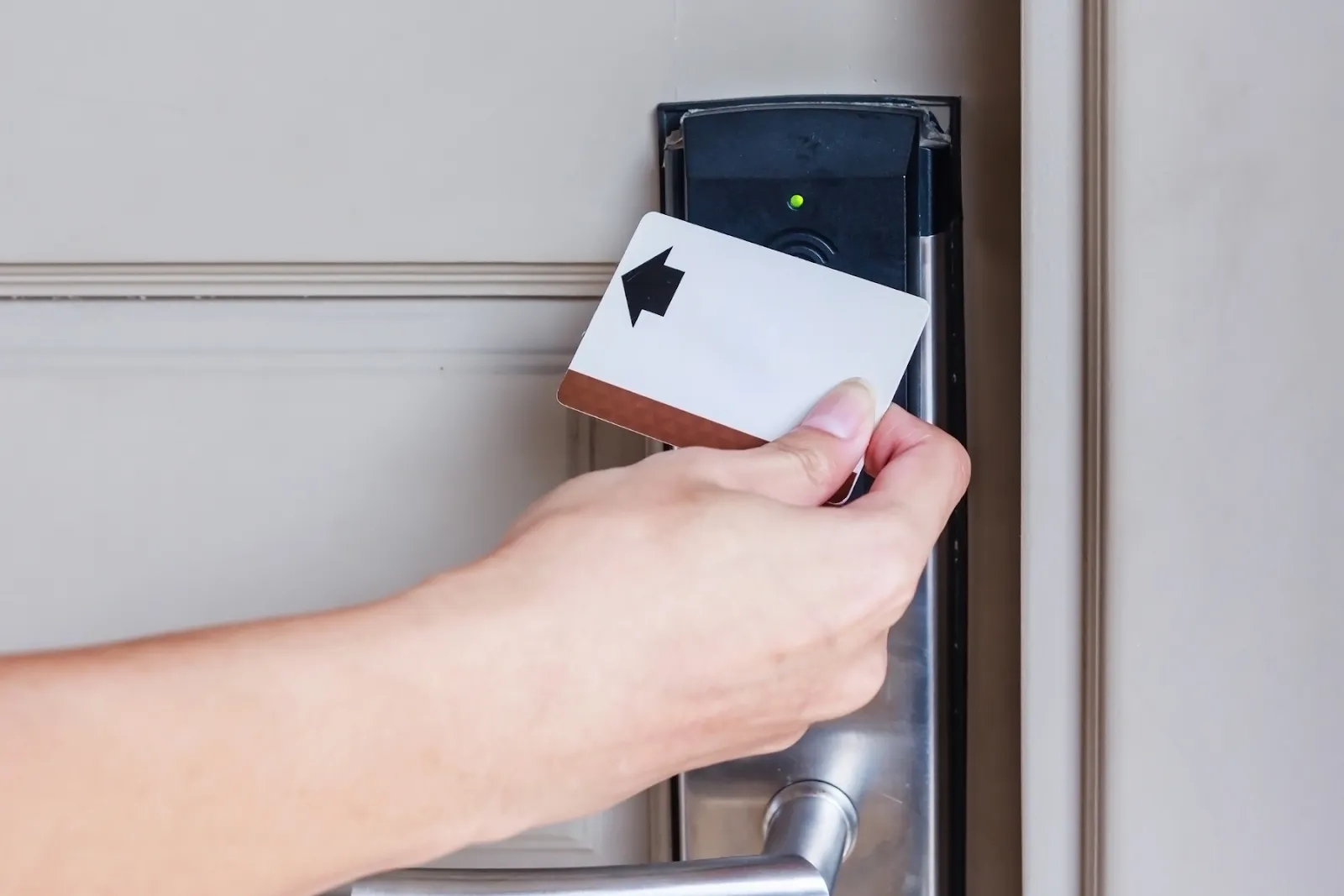
Unlock Smart Locks When Batteries Die

🎧 Listen to this article
0:000:00

Unlock Smart Locks When Batteries Die - 1
Door lock failure is often caused by negligence in battery management. To avoid being locked out when returning home, the following four steps explain on-site unlocking and subsequent prevention to help you minimize the risk.

Method 1|Backup Mechanical Key (Preferred and Most Reliable)

Most smart door locks come with 2–5 backup mechanical keys, and they are used in the same way as regular door locks: insert into the keyhole, turn to unlock.

Method 2|Temporary Power Supply with External Charger (USB-C/Micro-B)

Many models are equipped with a USB-C or Micro-B emergency power interface on the outer panel. Temporary power supply is only to wake up the panel, not to fully charge it; if you don't have a power bank on hand, you can rent a mobile charger at a nearby convenience store for immediate emergency use.

Connect the power bank to the door lock → after the panel lights up, use the original unlocking method (password/fingerprint/card) to open the door → once inside, replace the batteries immediately.

Method 3|9V Square Battery Emergency Contact

Many door locks have a 9V battery contact (two metal contacts) reserved on the outside panel.

Place the connector of a 9V alkaline battery against the contacts → the panel activates → use the original unlocking method to open the door → replace the main battery.

Method 4|Professional Locksmith/Manufacturer Support

If there is no key, the interface is damaged, or the above methods are ineffective, contact a licensed locksmith or original manufacturer customer service.

The most reliable door-opening solution is still the backup mechanical key; USB temporary power supply and 9V contact points are expedient measures to quickly "wake up" the panel. Keep the backup key properly stored externally, replace the batteries promptly during low-power warnings, balancing convenience and home security.
Related Posts

Fix Your 5G Broadband: 3 Hidden Speed Killers

Fix Your 5G Broadband: 3 Hidden Speed Killers

This blog post explains three common reasons for 5G home broadband slowdowns: signal blockage from walls, fair usage policies that throttle speeds after reaching data caps, and network congestion during peak evening hours. It offers practical tips like placing the router near windows, scheduling heavy downloads overnight, and using LAN cables, while clarifying that 5G broadband is best for light users and renters but not ideal for heavy gamers or large households.

3 Steps to Reduce Autumn Dust at Home

3 Steps to Reduce Autumn Dust at Home

This blog post provides a three-step approach to effectively reduce household dust during dry autumn months by first blocking external dust entry through doormats and window maintenance, then implementing a systematic cleaning routine from high surfaces to floors, and finally maintaining regular equipment cleaning of air conditioners, fans, and filters to sustain a cleaner indoor environment.

Fix Bathroom Odors: U-Bend Myths and Solutions

Fix Bathroom Odors: U-Bend Myths and Solutions

This blog post debunks common myths about maintaining U-bend traps and preventing bathroom odors, clarifying that only infrequently used drains need weekly water replenishment while advising against using bleach, boiling water, or cooking oil. It provides practical solutions for odor issues and long-term prevention methods, including proper cleaning techniques and when to consult a professional plumber.

Fix Your Fridge's Cooling and Leaking Issues

Fix Your Fridge's Cooling and Leaking Issues

Refrigerator cooling issues and water leaks are typically caused by poor door seals, blocked air vents, clogged drain holes, or poor ventilation around the unit. To fix these problems, check and clean door seals, unclog drain holes, ensure proper airflow, and adjust temperature settings while practicing regular maintenance like wiping seals monthly and using containers to reduce moisture.